

Smart Thermostat Repair in Rosemead, CA

Smart Thermostat Repair in Rosemead, CA provides professional diagnostics, repairs, and maintenance for reliable thermostat performance and energy efficiency. The service addresses common issues such as connectivity failures, firmware glitches, sensor malfunctions, power irregularities, and wiring faults. Technicians follow a structured diagnostic process that includes remote assessments, wiring inspections, firmware reviews, and sensor testing to identify the root cause. Repairs may involve component replacement, wiring corrections, or software updates, with steps taken to preserve existing settings during resets. Each service visit includes warranty guidance, maintenance recommendations, and expert advice on when replacement is more cost-effective than repair.
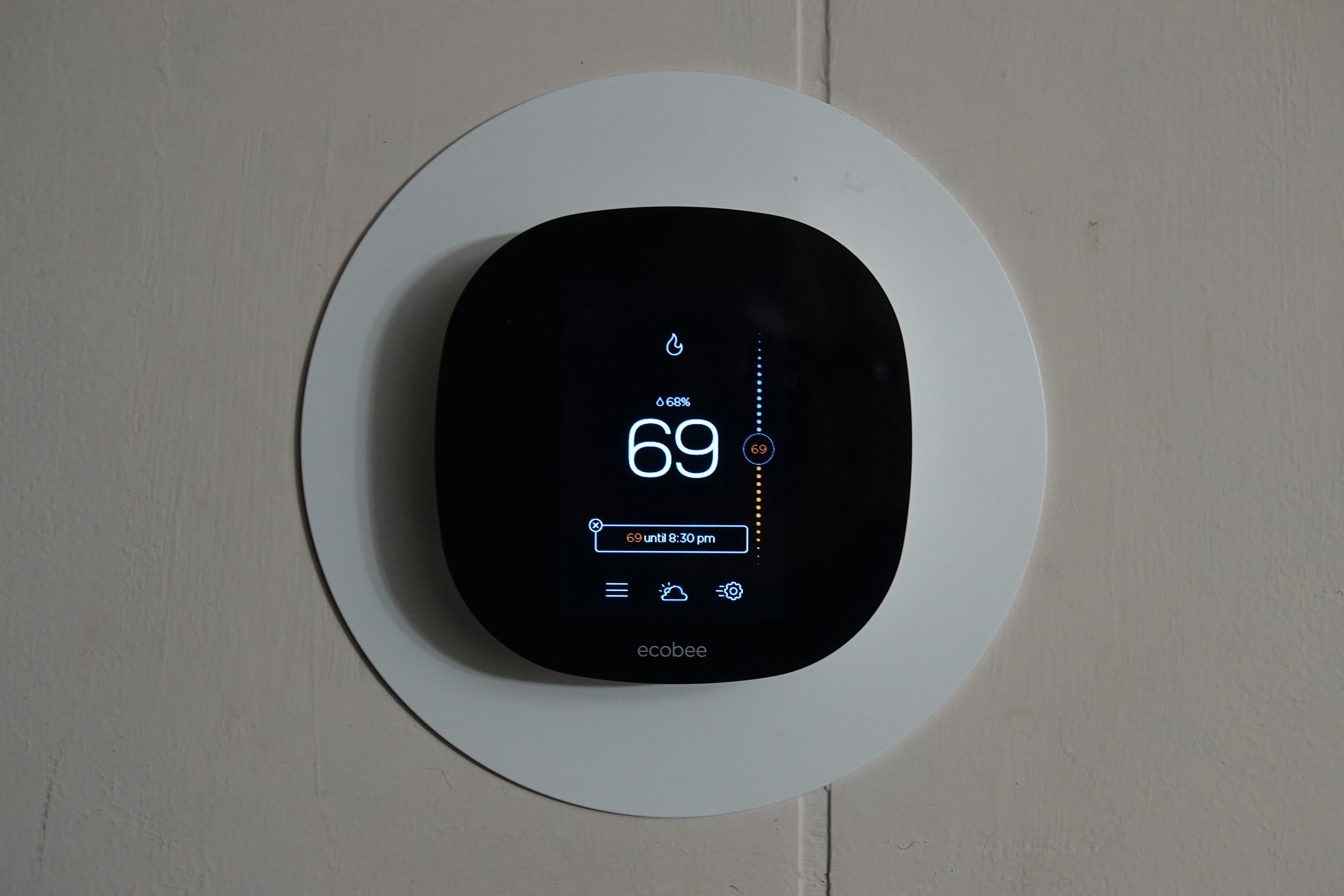
Smart Thermostat Repair in Rosemead, CA
Smart thermostats control comfort and energy use in Rosemead homes, where hot summers and occasional heat waves drive heavy cooling demand. When a smart thermostat fails to connect, misreads temperature, or loses power, you can end up with higher bills, uneven comfort, or an HVAC system that cycles unnecessarily. This page explains how smart thermostat repair works in Rosemead, CA, what common problems look like, how technicians diagnose issues, typical repairs and parts, tips to retain settings when resetting or re-pairing, recommended maintenance, and what to expect from service calls and warranties.
Common smart thermostat issues in Rosemead, CA
- Connectivity and network problems
- Thermostat will not connect to Wi-Fi, drops offline, or shows limited connectivity. In Rosemead neighborhoods with older routers or frequent ISP disruptions, 2.4 GHz vs 5 GHz configuration and SSID changes are common culprits.
- Firmware and software errors
- Failed updates, stuck downloads, or incompatibilities after router firmware or HVAC control updates can leave the thermostat unresponsive or showing error codes.
- Sensor failures and inaccurate readings
- Internal temperature or humidity sensors can degrade, or external remote sensors can fail. Symptoms include large temperature differences between thermostat reading and room comfort.
- Power problems
- Missing C-wire, weak power-stealing behavior, dead batteries, blown transformer, or control-board power issues can cause frequent reboots or blank displays.
- HVAC control or wiring faults
- Loose terminals, corroded wiring, or a failing HVAC relay/control board can prevent proper call-for-heat/cool signaling even when the thermostat appears functional.
- Account and pairing issues
- Devices that remain linked to a previous owner’s cloud account, or that fail to re-pair after factory reset, are a common hurdle for smart devices.
How smart thermostat diagnostics work
- Preliminary remote checks
- Confirm that the thermostat app shows device status, note any error messages, and check router signal strength and SSID settings. Remote diagnostics often identify obvious network issues first.
- Visual and power inspection
- On-site, a technician checks the thermostat display, LED indicators, battery level, and HVAC breaker. They confirm the system is powered to avoid unnecessary component replacement.
- Wiring and C-wire test
- With power off, wiring is inspected for loose or corroded terminals. Using a multimeter, the technician measures voltage at the C-wire and transformer to confirm stable 24V control power.
- Firmware and software audit
- The current firmware version is checked against known issues and manufacturer notes. If updates failed or firmware is corrupt, reinstall or rollback options are considered.
- Sensor and temperature verification
- Internal sensors are tested against a calibrated thermometer. For multi-zone setups, remote sensors and averages are verified.
- HVAC interface test
- The thermostat is commanded to call for heating or cooling while monitoring relays and the HVAC control board to confirm proper signaling and component response.
- Logging and error review
- When available, system logs and app history are examined to trace intermittent failures or timing related to ISP or power events.
Typical repairs and parts replacement
- Network and connectivity fixes
- Reconfigure router settings, switch to 2.4 GHz or set up a dedicated IoT SSID, update router firmware, or install a Wi-Fi extender to improve signal to the thermostat location.
- Power solutions
- Install or wire a C-wire, add a C-wire adapter (power extender kit) where wiring access is limited, replace batteries, or repair/replace a failing transformer or HVAC control board.
- Firmware and software resolution
- Perform controlled firmware updates, reinstall software, or factory reset when safe. Technicians will back up schedules when possible prior to resetting.
- Sensor and thermostat replacement
- Replace failed internal sensors or external temperature sensors. When repair is not viable, replace the thermostat with a compatible model and configure settings to match the home’s system type.
- Wiring and control board repair
- Repair frayed or corroded wiring, replace terminal blocks, or repair/replace HVAC relays and contactors if they fail to respond to thermostat calls.
Retaining settings and re-pairing devices
- Backup options
- Many smart thermostats offer cloud backups or local export of schedules. Before any reset, check the app for backup or export features and save schedules and preferences where available.
- Account unlinking and factory reset
- Remove the thermostat from the manufacturer account before a factory reset if you have access. If not, confirm ownership requirements. After reset, follow manufacturer-specific re-pairing steps to associate the device with the correct account.
- Re-pairing best practices
- Ensure the thermostat has stable power and a strong Wi-Fi signal during setup, update the app and router firmware first, and use the recommended 2.4 GHz network if prompted. Test HVAC calls immediately after pairing to verify proper operation.
- Common pitfalls
- Do not perform resets during peak heat events. If the thermostat is linked to a prior account and that account cannot be removed, a technician can document serial numbers and advise manufacturer support paths.
Recommended maintenance for Rosemead homes
- Perform a firmware and app check at least twice a year, ideally before summer and winter when HVAC demand increases.
- Replace thermostat batteries annually if the unit uses batteries, and inspect wiring for corrosion during annual HVAC service.
- Keep the thermostat out of direct sunlight and away from heat sources or drafty exterior doors that can skew sensors.
- Improve Wi-Fi stability: consider a dedicated IoT SSID or a mesh system if signal drops occur in your home, especially in larger Rosemead properties.
- Prepare for power interruptions: rolling blackouts and occasional outages can corrupt firmware. A simple surge protector or UPS for critical control equipment reduces risk.
Service calls and warranties
- What to expect on a service call
- A standard diagnostic visit includes system inspection, wiring checks, firmware audit, and functional testing of HVAC response. Technicians document findings and outline repair options and parts needed.
- Typical warranty coverage
- Manufacturer warranties on smart thermostats commonly range from 1 to 3 years and may cover hardware defects. Installation-related work often carries a separate workmanship warranty for a defined period. Keep purchase receipts and serial numbers to facilitate warranty claims.
- Repairs vs replacement
- If the thermostat is out of warranty and issues stem from missing C-wire or degraded sensors, replacement may be the most cost-effective long-term solution. For control board failures or transformer issues, repair of the HVAC system component may be required.
Timely smart thermostat repair in Rosemead, CA restores reliable control of your home’s comfort, reduces wasted cooling during hot months, and helps keep energy costs predictable. Diagnosing the root cause—whether network, power, sensor, or wiring—ensures the correct repair and reduces the chance of repeat visits. Regular maintenance and attention to Wi-Fi and power stability are especially important in the Rosemead climate to keep your smart thermostat performing as intended.
Customer
Testimonials
Our customers consistently praise the exceptional service and professionalism of our team. They appreciate the honest advice, meticulous work, and the care taken to ensure their satisfaction.

.webp)
Service Areas
