

Smart Thermostat Installation in Santa Monica, CA

Smart Thermostat Installation in Santa Monica, CA provides advanced climate control solutions designed for the coastal environment, offering greater comfort, convenience, and energy efficiency. The service includes a complete setup process with wireless integration, app configuration, and personalized scheduling to match your lifestyle. Each installation ensures compatibility with heat pumps, multi-stage systems, and existing HVAC units for seamless performance. Homeowners can also benefit from available rebates, expert post-installation support, and ongoing maintenance to keep their smart thermostats operating efficiently, securely, and cost-effectively throughout the year.
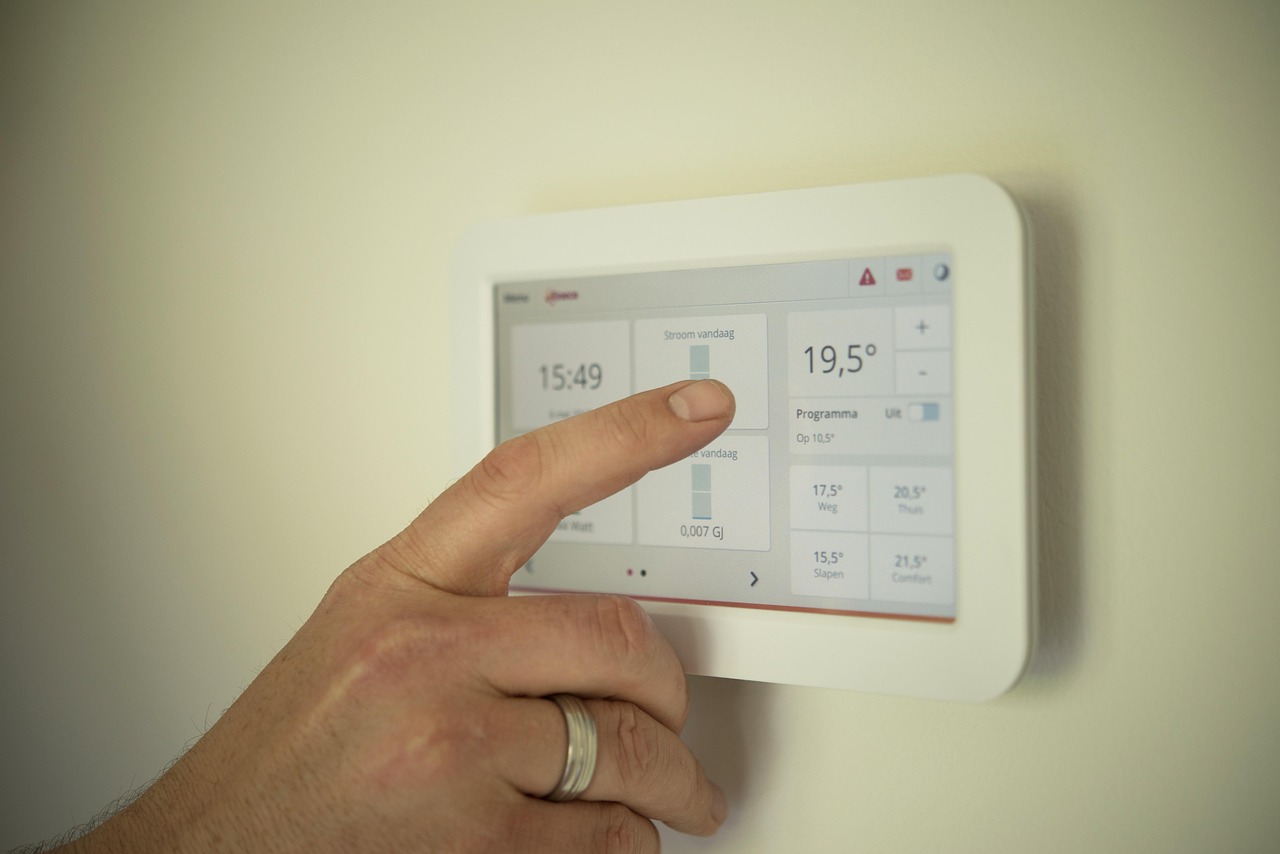
Smart Thermostat Installation in Santa Monica, CA
Smart thermostat installation in Santa Monica, CA brings immediate comfort, convenience, and measurable energy savings to homes coping with the citys coastal microclimate. With mild temperatures, frequent marine layer mornings, and warm afternoons some days, a smart thermostat adapts HVAC operation to real-world conditions so your home stays comfortable without wasting energy. This page helps you understand the benefits, walk through pre-installation checks, explain wireless and HVAC integration steps, outline app setup and advanced scheduling, and highlight local rebate and support considerations for Santa Monica homeowners.
Why choose a smart thermostat for your Santa Monica home
- Remote control and monitoring: Adjust temperature from your phone when leaving the house, coming home, or changing plans.
- Learning algorithms and adaptive schedules: Devices can learn your routine and local temperature patterns to reduce runtime while maintaining comfort.
- Energy savings: Smart management, occupancy detection, and optimized scheduling can reduce HVAC energy consumption, especially for cooling during afternoon heat spikes.
- Integration with heat pumps and multi-stage systems: Modern smart thermostats support common California systems and improve efficiency for heat pump-driven HVACs.
- Improved humidity and fan control: Manage marine layer humidity and indoor comfort without constant manual adjustments.
Common pre-installation compatibility checks
Before installation, verify the following so the device will perform reliably in Santa Monica homes:
- HVAC system type: Identify whether you have a single-stage or multi-stage furnace/AC, a heat pump, or a zone-controlled system. Smart thermostats list supported system types—confirm compatibility.
- C-wire presence: Many smart thermostats require a common wire (C-wire) for continuous power. Check the existing thermostat wiring or plan for a C-wire adapter or power-stealing solution.
- Line-voltage vs low-voltage: Most smart thermostats work only with low-voltage systems (24V). Electric baseboard or line-voltage systems need specialized thermostats.
- Zoning and multiple thermostats: If your home has zoned HVAC, each zone may need its own compatible thermostat or a supported zoning controller.
- Furnace/air handler control boards: Verify the terminals and control voltages on the air handler or furnace to ensure wiring matches the thermostat terminals.
- Wi-Fi and coverage: Confirm strong Wi-Fi at the thermostat location or plan for a mesh/extender to support reliable connectivity for remote features.
Wireless and HVAC integration steps
A typical, professional-grade installation follows these steps, simplified for homeowner understanding:
- Safety and power: Turn off HVAC power at the breaker or system switch to protect equipment and installer.
- Remove old thermostat and label wires: Photograph and label each wire to match HVAC control terminals (R, Rc, Rh, C, W, Y, G, O/B, etc.).
- Confirm wiring and C-wire: If a C-wire is missing, install one from the air handler or use a compatible power extender kit when appropriate.
- Mount backplate and connect wires: Secure the new thermostat backplate to the wall, connect labeled wires to matching terminals, and tuck wiring neatly.
- Restore power and perform hardware detect: Turn system power back on and allow the thermostat to detect system configuration—verify it recognizes heat/cool stages, heat pump reversing valve, and fan control.
- Test basic operation: Cycle heat, cool, and fan to confirm signals reach the HVAC equipment and the system responds properly.
- Finalize physical installation: Attach the thermostat display, configure screen brightness and local options.
Setup and app configuration
After hardware installation, configure the app and cloud services for full functionality:
- Create and secure your account: Use a strong password and enable two-factor authentication if available.
- Connect to Wi-Fi: Many thermostats work best on 2.4 GHz networks. Enter network credentials and confirm stable connection.
- Location and home details: Set your address, home type, and whether you have multiple thermostats. Accurate location improves weather-based scheduling.
- Link to weather and energy data: Allow the thermostat to access local weather to anticipate temperature shifts typical to Santa Monica, such as morning marine layer and midday sun.
- Firmware updates: Install any firmware updates to enable recent features and security patches.
Scheduling, automation and smart features
Smart thermostats provide multiple ways to reduce energy use while keeping comfort:
- Time-based schedules: Create weekday and weekend programs matching your routine to avoid heating or cooling empty homes.
- Learning mode: Let the thermostat observe adjustments and automatically build an efficient schedule tailored to your habits and local climate.
- Geofencing: Use your phone location to automatically switch to eco mode when everyone leaves and return to comfort when approaching home.
- Occupancy and sensors: Incorporate motion sensors or multiple room sensors to reduce temperature swings and avoid overconditioning unused rooms.
- Remote triggers and scenes: Integrate with home automation rules like “away,” “sleep,” or “vacation” scenes to adjust multiple systems at once.
- Smart recovery and early start: Have the thermostat start conditioning ahead of schedule so your home reaches target temperature at the desired time without running longer than necessary.
Connecting to home networks and smart home platforms
For reliable integration with Alexa, Google Home, or Apple HomeKit and for stable operation in Santa Monica homes:
- Prefer 2.4 GHz Wi-Fi for better range through walls; if using 5 GHz, ensure the signal is strong at the thermostat location.
- Avoid Wi-Fi guest networks that prevent local device communication; check router settings like AP isolation which can block device-to-device traffic.
- Use a mesh Wi-Fi system or targeted extender for older homes with thick walls or if the router is far from the thermostat.
- Reserve a stable IP via DHCP reservation or static IP to keep integrations working after router reboots.
- Name devices clearly in the app and in the smart home platform to avoid confusion (for example: “Upstairs Thermostat”).
- For Apple HomeKit, confirm the thermostat is certified HomeKit compatible and follow pairing instructions exactly.
Available rebates and incentives in Santa Monica, CA
Santa Monica homeowners may be eligible for state and local incentives that reduce upfront costs for smart thermostat upgrades:
- California energy efficiency programs and statewide incentives frequently include smart thermostat rebates or bundles when paired with qualifying HVAC improvements.
- Local utility and municipal programs in Los Angeles County periodically offer rebates or instant discounts; eligibility can depend on equipment type and income-based programs.
- Federal energy efficiency tax credits may apply in certain years for qualifying home energy upgrades.Professional installers and certified contractors typically help identify applicable rebates and assist in submitting required documentation and invoices for rebate claims.
Post-installation support and maintenance
Reliable post-installation support ensures long-term performance:
- Firmware and app updates: Keep both the thermostat firmware and companion app up to date for security and new features.
- Seasonal system checks: Have a contractor inspect HVAC components and verify thermostat settings each season to account for Santa Monicas temperature patterns.
- Connectivity troubleshooting: If the thermostat loses Wi-Fi, verify router settings, signal strength, and power cycling sequence; consider a mesh node closer to the thermostat.
- Reconfiguration after HVAC changes: If you replace the furnace, air handler, or add zoning, update thermostat wiring and settings to match new equipment.
- Data review and tuning: Periodically review energy reports to fine tune schedules and take advantage of insights that reduce runtime while maintaining comfort.
Smart thermostat installation in Santa Monica, CA can lower bills, improve comfort, and give you straightforward control over home climate tailored to local weather patterns. With proper pre-installation checks, correct wiring and network setup, and thoughtful scheduling, your smart thermostat will deliver performance and savings across the year.
Customer
Testimonials
Our customers consistently praise the exceptional service and professionalism of our team. They appreciate the honest advice, meticulous work, and the care taken to ensure their satisfaction.

.webp)
Service Areas
