

Smart Thermostat Installation in Pasadena, CA

Smart thermostat installation in Pasadena, CA helps homeowners improve comfort while reducing energy costs by optimizing cooling and heating schedules. At Precise Air Systems (FERGUSON), we walk homeowners through the different thermostat types, the pre-installation checks required, and the full setup process—including wiring, mounting, Wi-Fi configuration, and compatibility testing. We also highlight energy-saving features, remote access options, and home automation integration with major platforms, along with Pasadena-specific considerations and available incentives. Our team provides training, support, and post-installation care to ensure reliable performance, proper maintenance, and long-term efficiency.
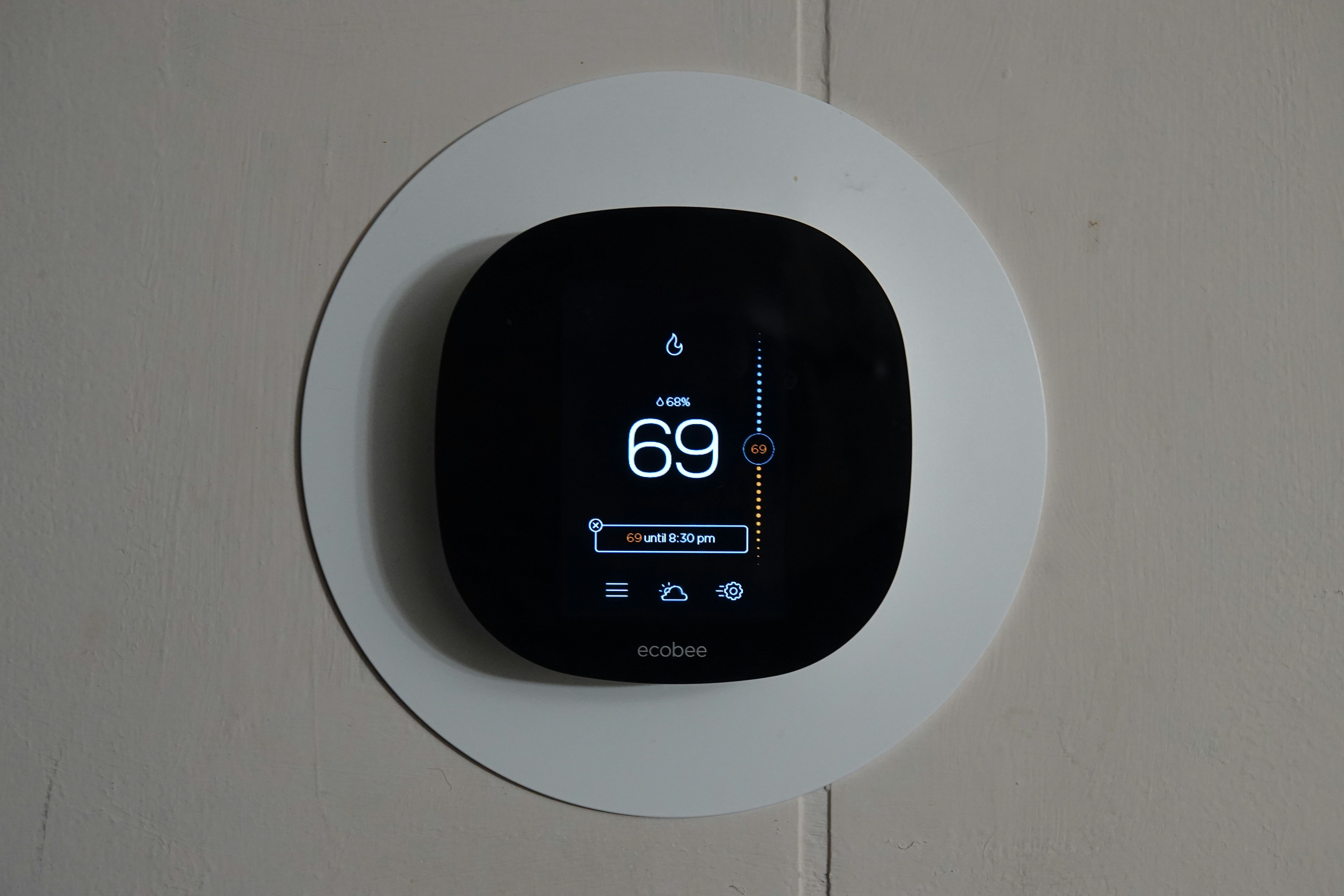
Smart Thermostat Installation in Pasadena, CA
Upgrading to a smart thermostat in Pasadena, CA is a high-impact way to improve home comfort, reduce cooling and heating costs, and integrate your HVAC into a modern smart home. Pasadena homes face warm, sunny summers and mild winters, so cooling efficiency and smart scheduling can produce significant savings. This page explains your options, the pre-installation checks, step-by-step installation and configuration, energy-saving features, common issues in local homes, available incentives, and the training and support typically provided after installation.
Why install a smart thermostat in Pasadena homes
- Remote control and convenience: Adjust temperatures from your phone while at work, on errands, or on vacation.
- Learning algorithms and adaptive schedules: Many models learn patterns and automatically optimize for comfort and efficiency, especially useful with Pasadena's daily temperature swings.
- Energy reports and insights: Monthly usage summaries help you identify high-usage periods, correlate use with outdoor temperature, and make smarter thermostat decisions.
- Smart home integration: Works with Alexa, Google Assistant, Siri/HomeKit, and home automation platforms for voice control and scene-based heating and cooling.
Common smart thermostat types and what fits Pasadena homes
- Learning thermostats that build schedules from your behavior
- Programmable smart thermostats with manual schedule creation
- Zoning-compatible thermostats for larger or multi-level Pasadena houses
- Heat-pump-compatible models for high-efficiency systems
- Models with remote sensors for rooms that heat up faster (sun-facing rooms common in Pasadena)
Pre-installation compatibility checks
A proper pre-installation assessment prevents surprises and downtime:
- Check power requirements: Most smart thermostats need a C-wire or power adapter. Older Pasadena homes sometimes lack a C-wire; options include adding a C-wire, using a power extender, or selecting a compatible battery-powered model.
- HVAC equipment compatibility: Identify whether you have a single-stage, multi-stage, heat pump, or line-voltage system. Smart thermostats are not universal; confirm compatibility with your furnace, air handler, heat pump, or zoned system.
- Control wiring and zones: Note existing wire colors and labels, the number of zones, and any nonstandard wiring. Photograph or label wires before removal.
- Wi-Fi and smart home ecosystem: Verify home Wi-Fi coverage near the thermostat location and your preferred ecosystem (Google, Amazon, Apple) for voice and routines.
Wi-Fi setup and security considerations
- Network type: Many thermostats prefer 2.4 GHz for reliability, though newer models support 5 GHz. Ensure your router broadcasts the appropriate band at the thermostat location.
- Network name and password: Use secure SSIDs and strong passwords. Avoid open networks and guest networks that isolate devices unless intentionally desired.
- Account security: Create unique account credentials for thermostat apps and enable two-factor authentication if available.
- Firmware and privacy: Keep thermostat firmware updated and review privacy settings regarding data sharing and cloud access.
Step-by-step installation and initial configuration
- Power off the HVAC system at the breaker or furnace switch to prevent shorting.
- Remove the old thermostat carefully, photographing the wiring and labeling each wire with its terminal letter.
- Confirm wiring and C-wire; add adapter or run a C-wire if necessary before mounting the new base.
- Mount the thermostat base on a level surface, using anchors if needed.
- Connect wires to the matching terminals on the new thermostat, following the manufacturer guide. Tighten terminal screws securely.
- Restore power and follow on-screen setup prompts. The thermostat will detect HVAC equipment type; confirm or adjust settings for heat pump, stages, and fan control.
- Connect to Wi-Fi and sign into the thermostat app. Grant necessary permissions for remote control and updates.
- Run the guided compatibility test many models include to verify calling for heat and cooling, reversing valves, and fan operation.
Creating schedules and using energy-saving features
- Start with simple setbacks: For Pasadena, raise cooling setpoints 3 to 6 degrees when away, and use a 6 to 8 degree setback overnight for heating savings.
- Use adaptive recovery: Let the thermostat learn how long your home takes to reach set temperatures so it starts earlier and avoids overcooling.
- Leverage geofencing and occupancy sensing: These features automatically adjust when residents leave or return, reducing wasted conditioning.
- Enable eco modes and reminders: Many units will nudge you toward energy-efficient setpoints and notify you about excessive runtime or filter changes.
- Employ remote sensors: Place sensors in sun-exposed rooms or bedrooms to balance comfort across a Pasadena floorplan.
Diagnosing and resolving common issues in Pasadena homes
- Thermostat not connecting to Wi-Fi: Check router distance, interference, and correct band. Reboot router if needed and verify password.
- No C-wire detected: Options include adding a C-wire, using a power kit, or selecting a compatible low-power model.
- Thermostat not calling for heat/cool: Re-run compatibility test, check wire seating at the control board, verify breaker and blower operation.
- Inconsistent comfort in sun-exposed rooms: Use remote sensors or adjust venting and shading for rooms with heavy solar gain.
Rebates and incentives
Pasadena residents may qualify for local utility or state energy efficiency incentives for installing qualifying smart thermostats or energy-saving HVAC upgrades. Keep documentation of product model, receipts, and install date. Check current local utility program offerings and statewide energy efficiency incentives to determine eligibility.
Training, support, and post-installation care
- On-site walkthrough: A brief walkthrough should cover how to use the app, modify schedules, and access energy reports.
- Account and voice integration setup: Assistance with linking accounts, enabling voice control, and setting up routines improves usability.
- Troubleshooting guidance: Common troubleshooting steps include restarting devices, checking Wi-Fi, and re-running equipment tests.
- Maintenance tips: Keep firmware current, replace batteries if applicable, clean the thermostat face, and schedule annual HVAC tune-ups to ensure system efficiency.
Benefits and maintenance advice
A properly installed smart thermostat delivers measurable comfort and energy benefits for Pasadena homes. With the right compatibility checks, secure Wi-Fi setup, and careful initial configuration, most households see improved temperature consistency, easier remote control, and useful energy insights. Maintain your thermostat with periodic firmware updates, monitor energy reports, and pair the thermostat strategy with basic HVAC care to get the best long-term results.
Customer
Testimonials
Our customers consistently praise the exceptional service and professionalism of our team. They appreciate the honest advice, meticulous work, and the care taken to ensure their satisfaction.

.webp)
Service Areas
